Receipt capture: a photo, not a shoebox
Photograph the receipt. Dyna reads the details; you check them.
Snap the receipt at the counter and get on with your day. Dyna reads it, the expense is in your books, and at tax time the proof is already attached instead of buried in a glovebox.
14-day free trial · No credit card required
Included in: Every paid plan, within your monthly AI allowance
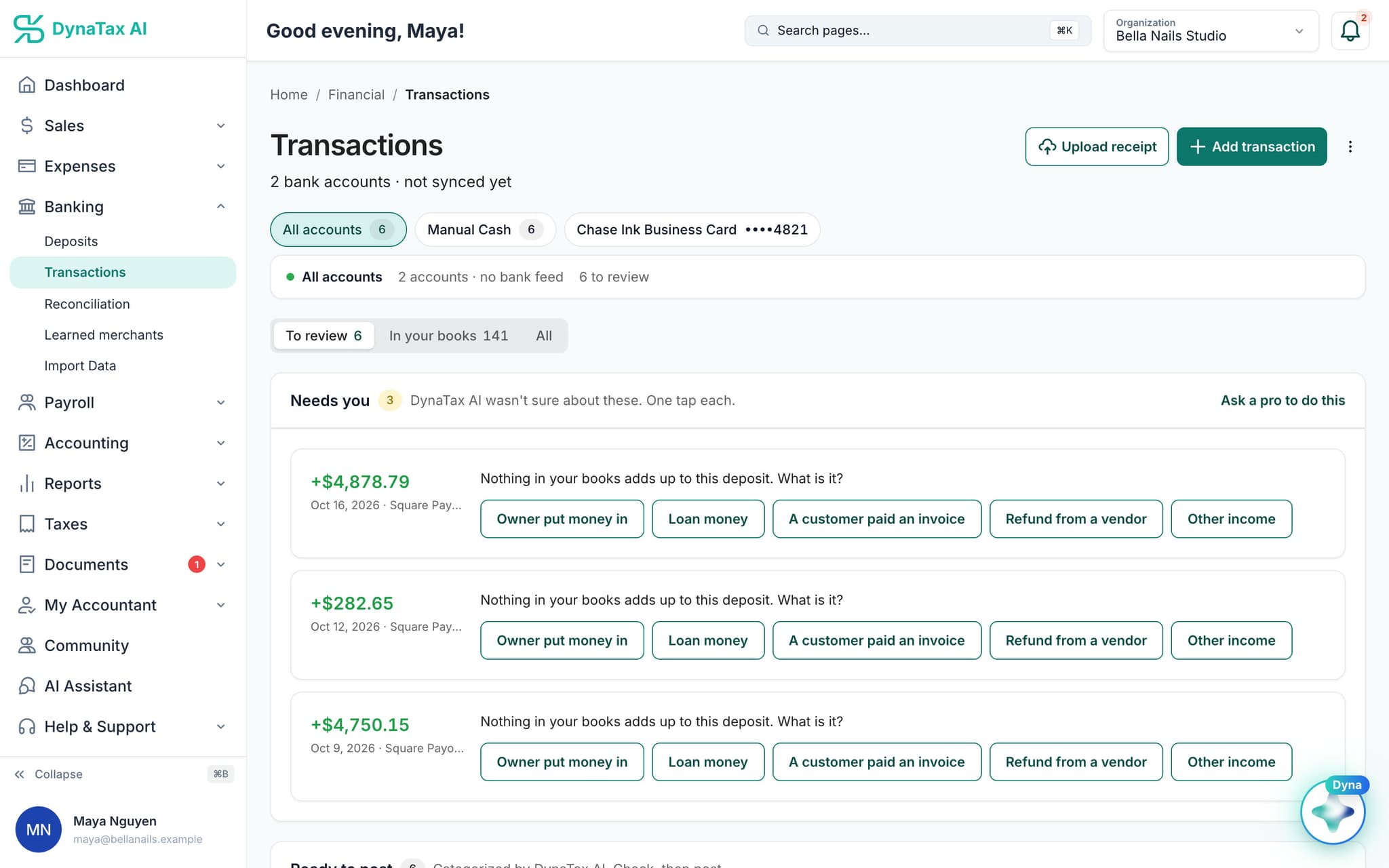
Upload a receipt from the transactions page, or snap it on your phone.
What it does
Photograph a receipt and Dyna reads the vendor, date, total and line items for you to check.
Photos are fine
A phone photo of a crumpled receipt works. It does not have to be a clean PDF.
Read, not just filed
Vendor, date, total and line items are extracted, so the expense is ready to post rather than sitting as an image.
Never rejected
A receipt is perishable paper. Even past your AI allowance the upload succeeds and the file is stored — it just waits to be read.
How it works
How receipt capture works
- 1
Upload or photograph
From the web app or your phone, one at a time or in a batch.
- 2
Dyna reads it
Vendor, date, total and line items are extracted and shown for review.
- 3
It finds its transaction
The receipt is matched to the bank transaction it belongs to.
dynatax.ai/client/…/dashboard/financial/transactions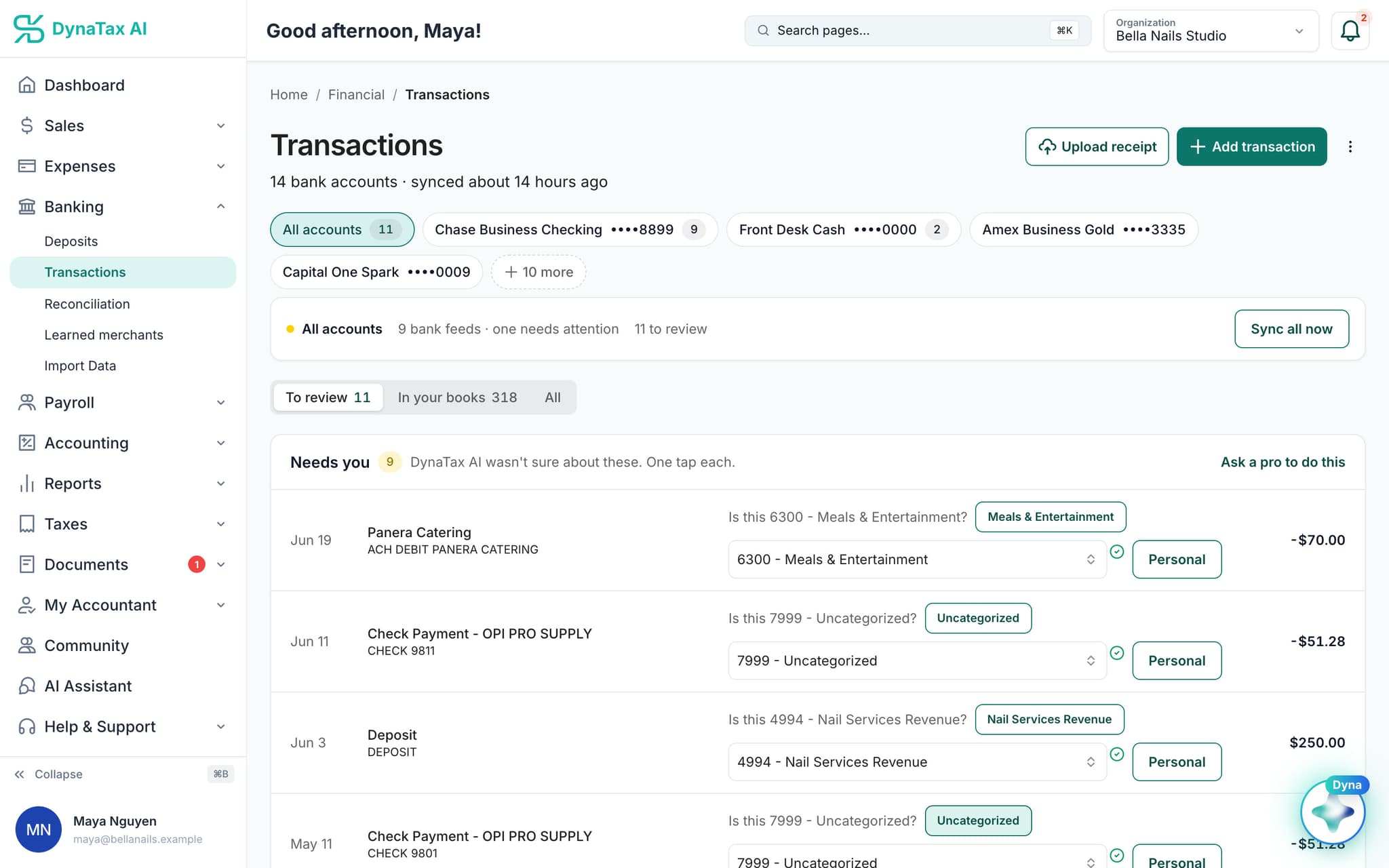
Receipts attach to the transactions they belong to. Sample data.
The details
Receipt capture, in detail
One button on Transactions
Upload receipt sits at the top of the Transactions page. Add a photo or a PDF from your desk or your phone, one at a time or several together.
Vendor, date and total first
Dyna reads the vendor, the total and the date, with a confidence score for how clearly it could read them. Those three fields are what it uses to find the matching bank charge.
Know which receipts you still owe
A Need Receipts list shows business expenses of $75 or more with no receipt attached. That is the amount at which the IRS generally expects documentation, so you can clear it while you still remember the purchase.
Better photos, better matches
Get the whole receipt in frame and make sure the total shows. For restaurants, photograph the copy you signed, with the tip. Uploading on the day of the purchase gives the strongest date match.
Trust
Your books, on your terms
Read-only bank connection
You sign in on your bank’s own screen. DynaTax AI can see balances and transactions. It can’t move money.
You stay in control
Nothing posts without your approval, except merchants you’ve already confirmed above the auto-post threshold.
Your data isn’t training data
Your data isn’t used to train AI unless you turn on Allow AI Training. It’s off by default.
A professional when you want one
Invite your own CPA into your books, or find one in the marketplace. Dyna’s answers are general information, not professional advice.
Plans
Where receipt capture is included
Every paid plan, within your monthly AI allowance. Every plan starts with a 14-day free trial, no credit card required. Pay yearly and get 12 months for the price of 10.
Bring your books with you: import transactions, your chart of accounts, opening balances, customers, vendors, invoices and bills from CSV, Excel or a QBO/OFX bank download. Switching from QuickBooks
- Starter$29 / month · 1 user
- GrowthRecommended$49 / month · 3 users
- Pro$99 / month · 10 users
Related features
Works well with
FAQ
Receipt capture questions
Run your business. Live your life.


Try receipt capture with your own books for 14 days. Less time on the books, more time for everything else.
No credit card required