
Run your practice. Live your life.


Practice management for tax professionals: clients, projects, time and invoices, AI tax research with citations, and your clients’ books, in one place. Less time chasing, more time for the work and for yourself.
Solo Pro: $0 for 6 months, then $39.99/month.
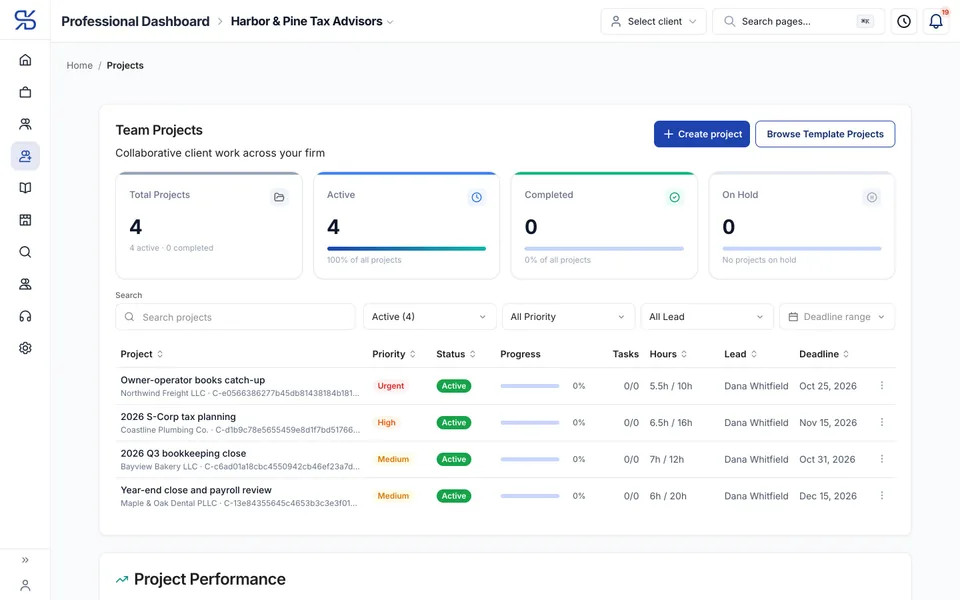
Pro portal with sample data
Your week, before and after
Less chasing, fewer lost hours, cleaner books
Three things that eat a tax professional’s week, and what each one looks like in DynaTax AI.
Before
Half of every engagement is email. “Did you get my W-2?” “Which statement do you still need?”
With DynaTax AI
A checklist both of you can see
Send a document request and watch items tick off as files arrive. For someone without an account yet, share your branded upload link instead.
Before
Hours live in a notebook or a spreadsheet, and some of them never make it onto the bill.
With DynaTax AI
Time that reaches the invoice
Log time against the client’s project while you work. Approve it, and approved time becomes invoice lines.
Before
A client hands you a year of books nobody has looked at since spring.
With DynaTax AI
Their books, open in your portal
Review their bank lines with the journal entry each will post, reconcile, close the month and run reports from the ledger they already use.
How it works
From new client to invoice, in one workspace
The same four screens carry a job from engagement to invoice. These are the real pro portal, with a sample firm.
- 1
Add your clients
Each client gets a workspace with the engagement, its status, who on your team owns it and when anything last happened. Invite clients yourself, or take them on from the DynaTax AI marketplace.
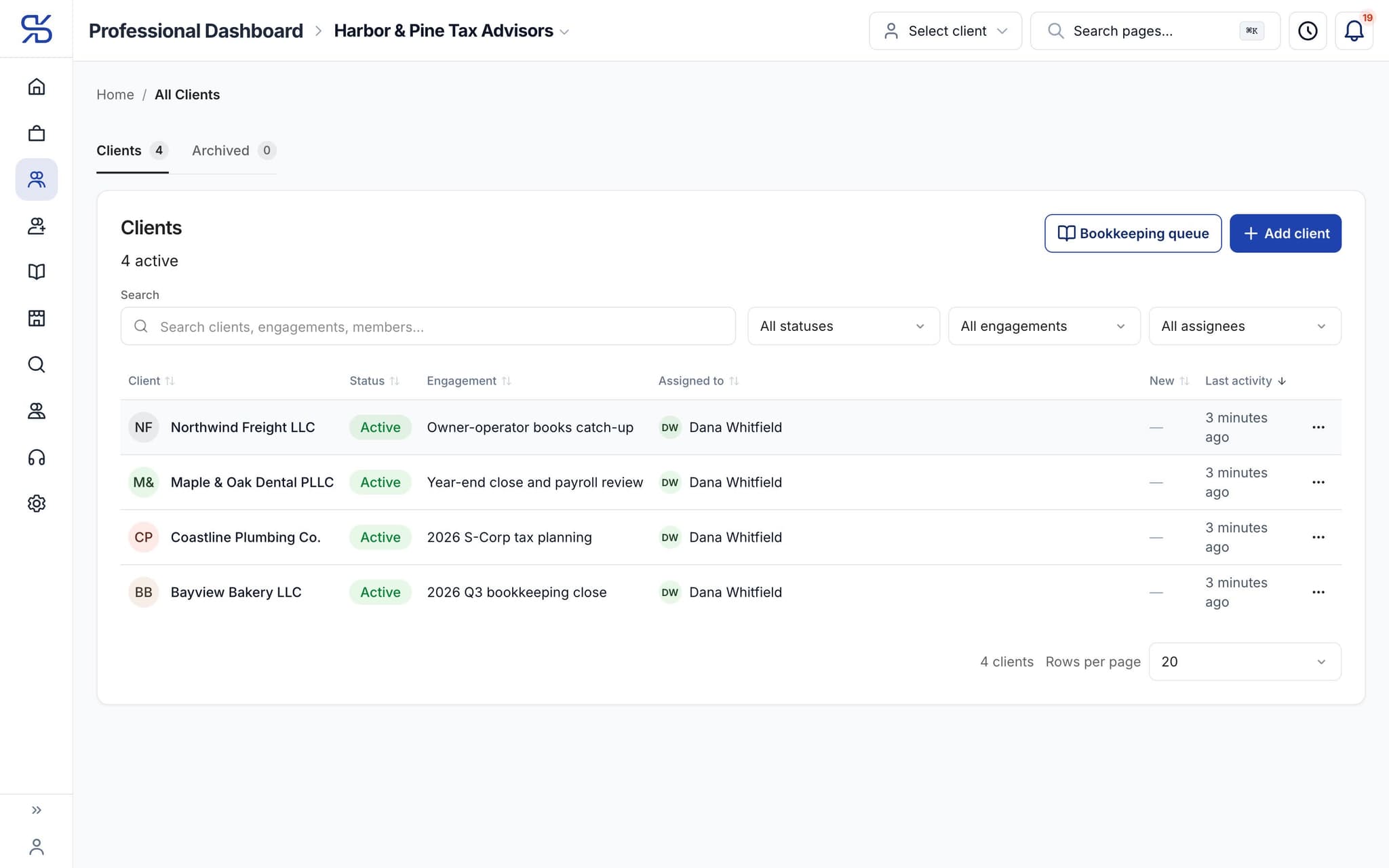
The client list for a sample firm, with each engagement and who owns it. - 2
Turn the work into projects
Give each engagement a priority, a deadline, a lead and an hour estimate, or start from a template. Logged hours count against the estimate, so a job running long shows up before it runs late.
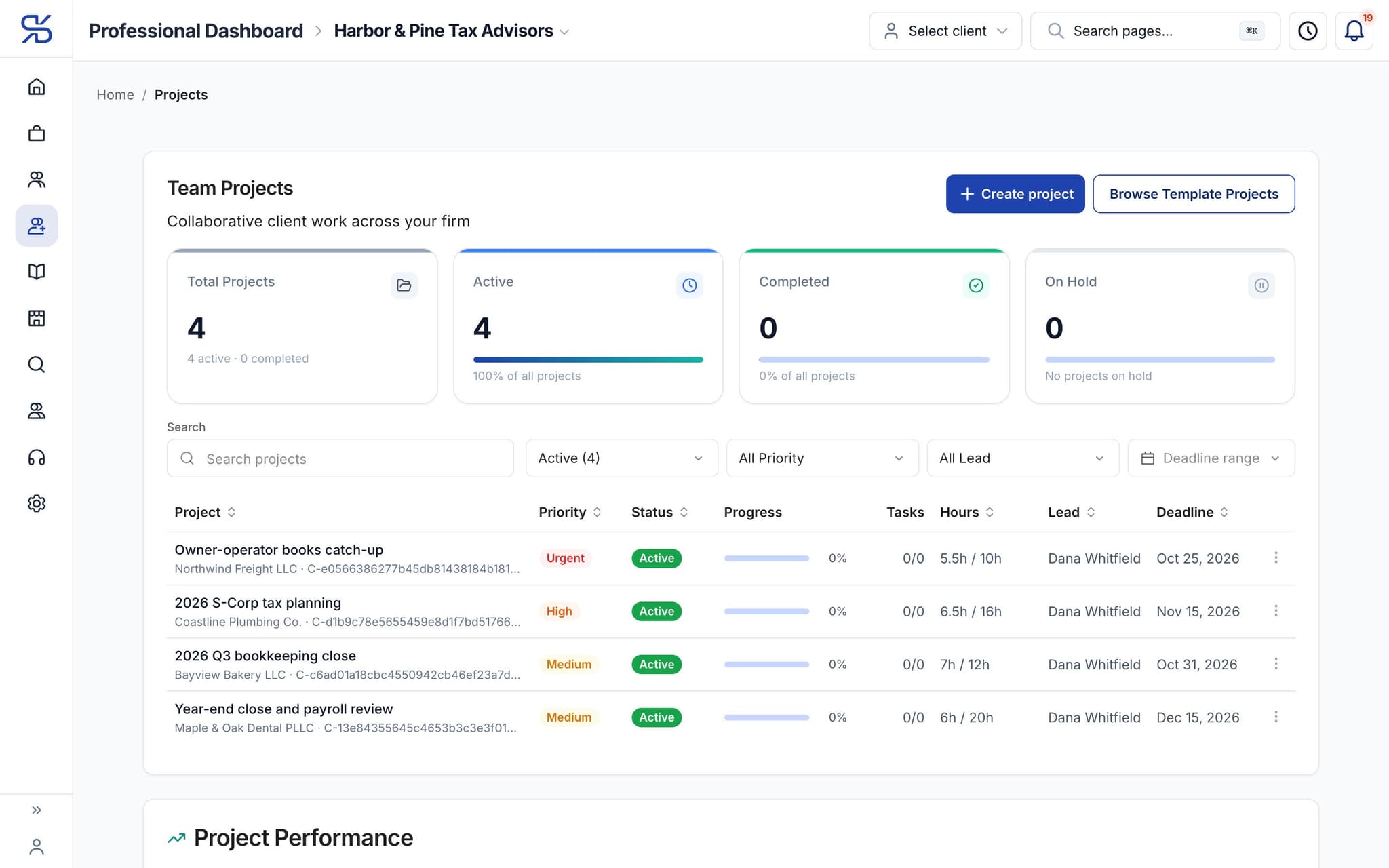
Team projects for a sample firm, each with its priority, status, hours against the estimate and deadline. - 3
Log time as you go
Start a timer, or enter hours after the fact, against the client and the project. Your timesheet keeps the month, the week and today in view.
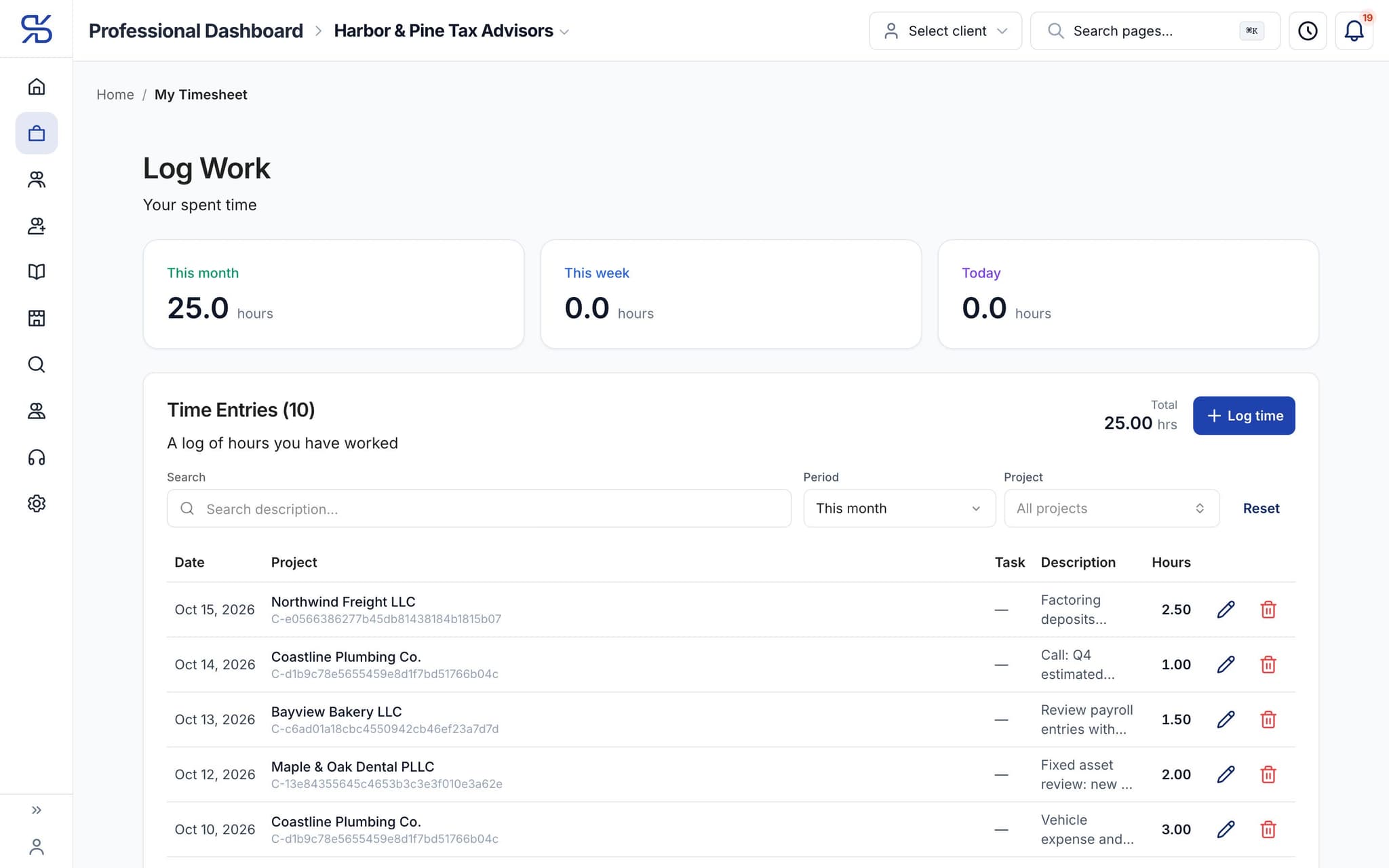
A timesheet with 25 hours this month across four clients. Sample data. - 4
Bill from approved time
Review time, approve it or send it back. Approved time becomes invoice lines, so nobody retypes a summary at month end. Online invoice payments are rolling out; availability depends on your account.
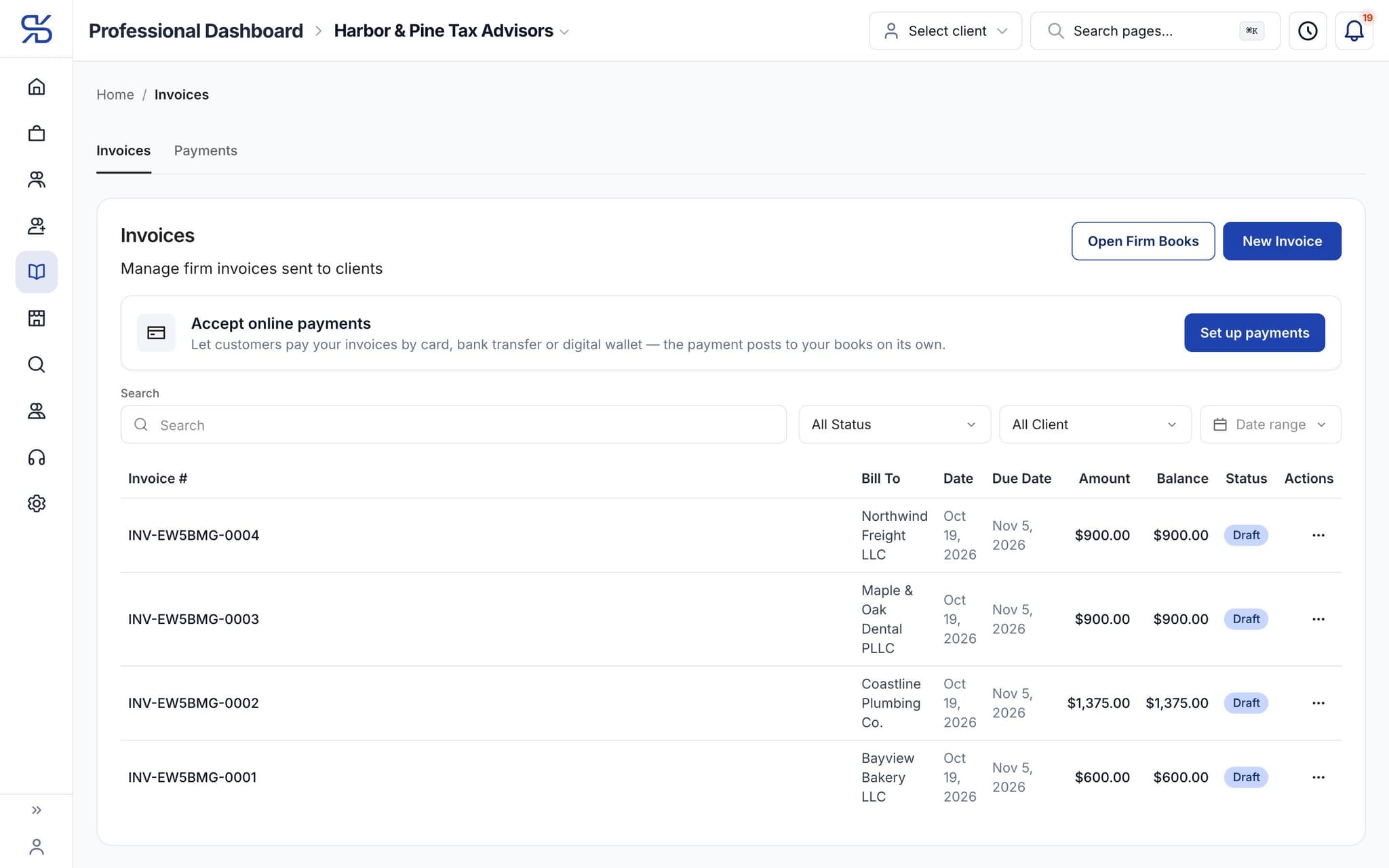
Firm invoices to each client, with amount, balance and status. Sample data.
Your clients’ books
Clean up a client’s books without asking for a login
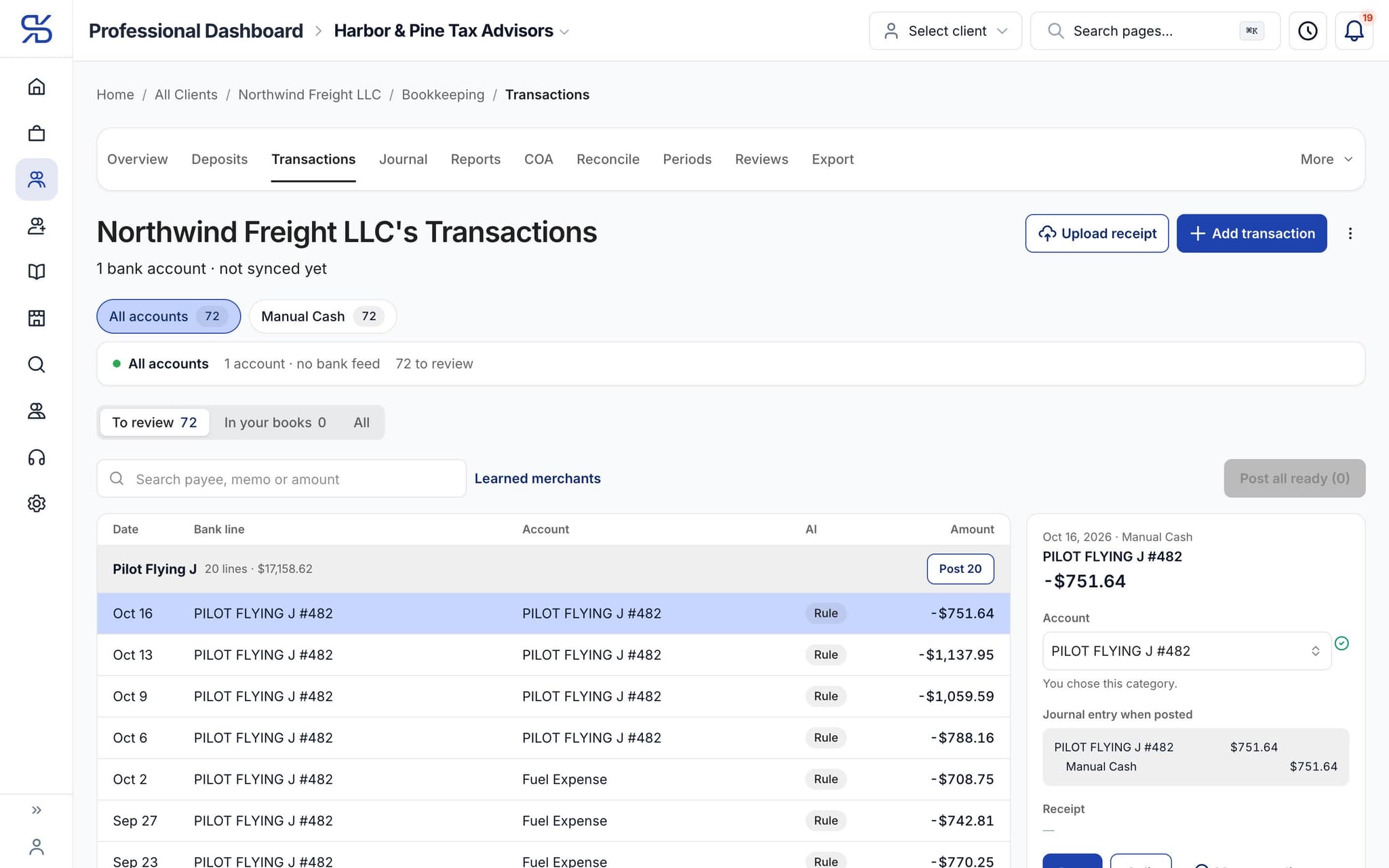
When a client keeps their books in DynaTax AI, you open them from their page in your portal. Same ledger, your tools.
Work the review queue
See each bank line, the account it is going to, and the journal entry it will post before it posts.
Reconcile and close
Reconcile accounts and close the books month by month. A closed month reopens only with an audit trail.
Reports from the same ledger
Profit and Loss, Balance Sheet and the rest come from the books your client uses, not a copy you rebuilt.
AI tax research
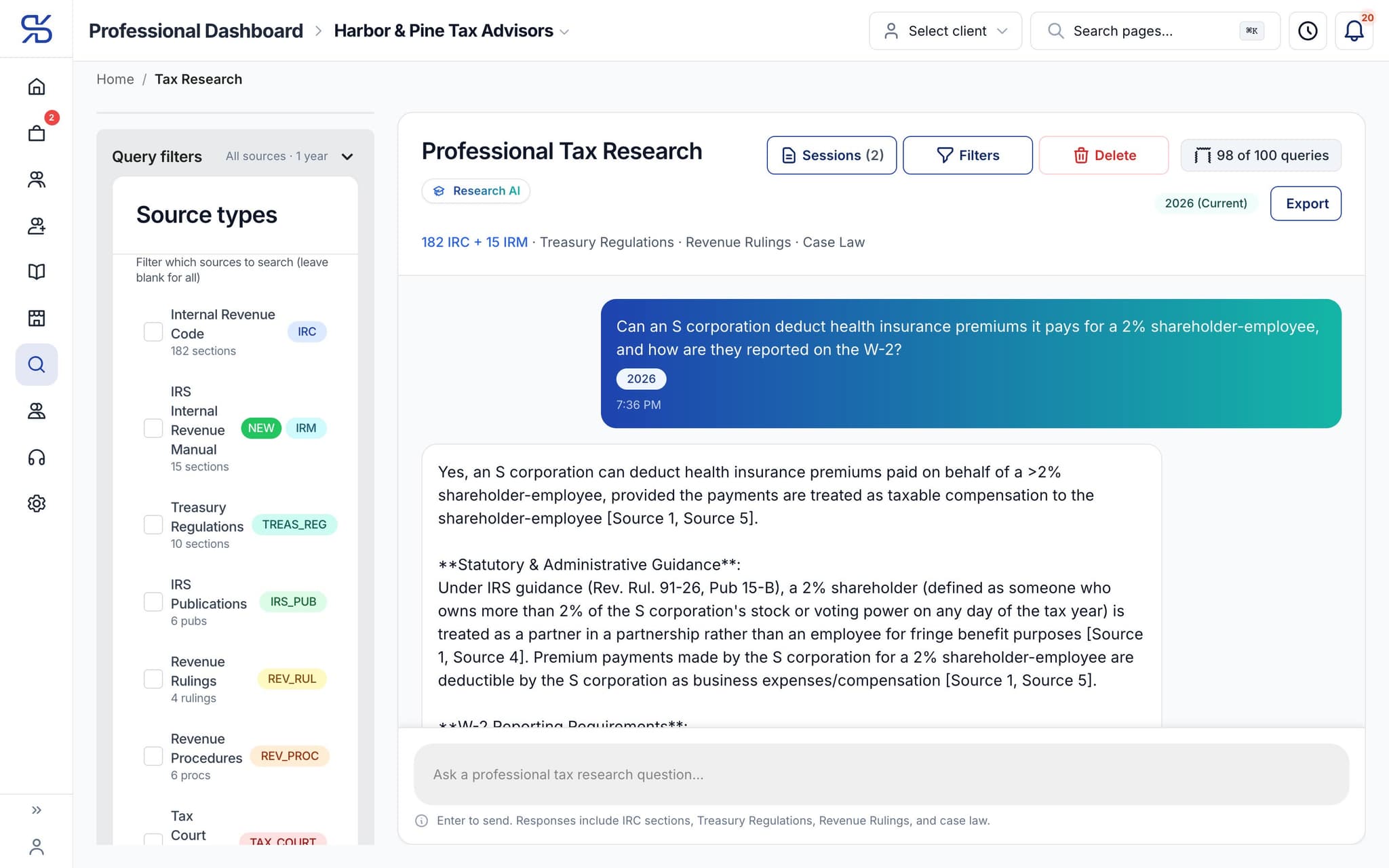
Ask the real question. Get the citation.
Long, conditional, client-specific questions, answered for a professional who knows what a basis adjustment is.
Cited, so you can check it
Answers cite the Internal Revenue Code, Treasury Regulations and IRS guidance. Narrow the search to the sources you want.
Export to PDF
Keep the research with the engagement, or send it to the client or your reviewer.
A research assistant
It finds and cites the authority. You exercise professional judgement.
Works with your tax software
Keep filing where you file today
Reviewed books leave DynaTax AI in a format your tax software imports. The data moves; you do not retype it.
Export to
- TXFSchedule C, for ProSeries and Lacerte
- Drake Trial BalanceWith Drake codes and form line mappings
- ProSeries CSV
- Lacerte CSV
- UltraTax CSV
- Generic CSVFor any other software
Tax filing and e-file from DynaTax AI are coming soon. Today you file from your own software.
Pricing
Pricing for a solo practice or a growing firm
Solo Pro is $0 for 6 months, then $39.99/month. The Firm plan is $99.95/month for 12 months, then $150/month, with 5 seats included.
Solo Pro
For Tax Professionals (CPAs, EAs, and Tax Firms)
$0
For 6 months, then $39.99/month
- 1 team seat included (add more)
- Extra seats $30/seat
- Firm management
- 20 AI Research per seat / month
- 250GB Storage
Firm Plan
For Tax Firms
$99.95/ month
For 12 months, then $150/month
- 5 included seats
- Extra seats $30/seat
- Firm management
- 20 AI Research per seat / month
- 1TB Storage
FAQ
Questions tax professionals ask
Run your practice. Live your life.
Clients, projects, time, invoices, research and your clients’ books in one workspace. Less time on admin, more time for everything else.
Solo Pro: $0 for 6 months, then $39.99/month.