AI tax research for tax professionals
Research with citations you can check, not a summary you have to trust.
Get from a hard client question to the authority behind the answer without an afternoon in the stacks. Ask it the way you would ask a colleague, check the citations, and get back to the return.
Solo Pro: $0 for 6 months, then $39.99/month
Included in: Professional plans
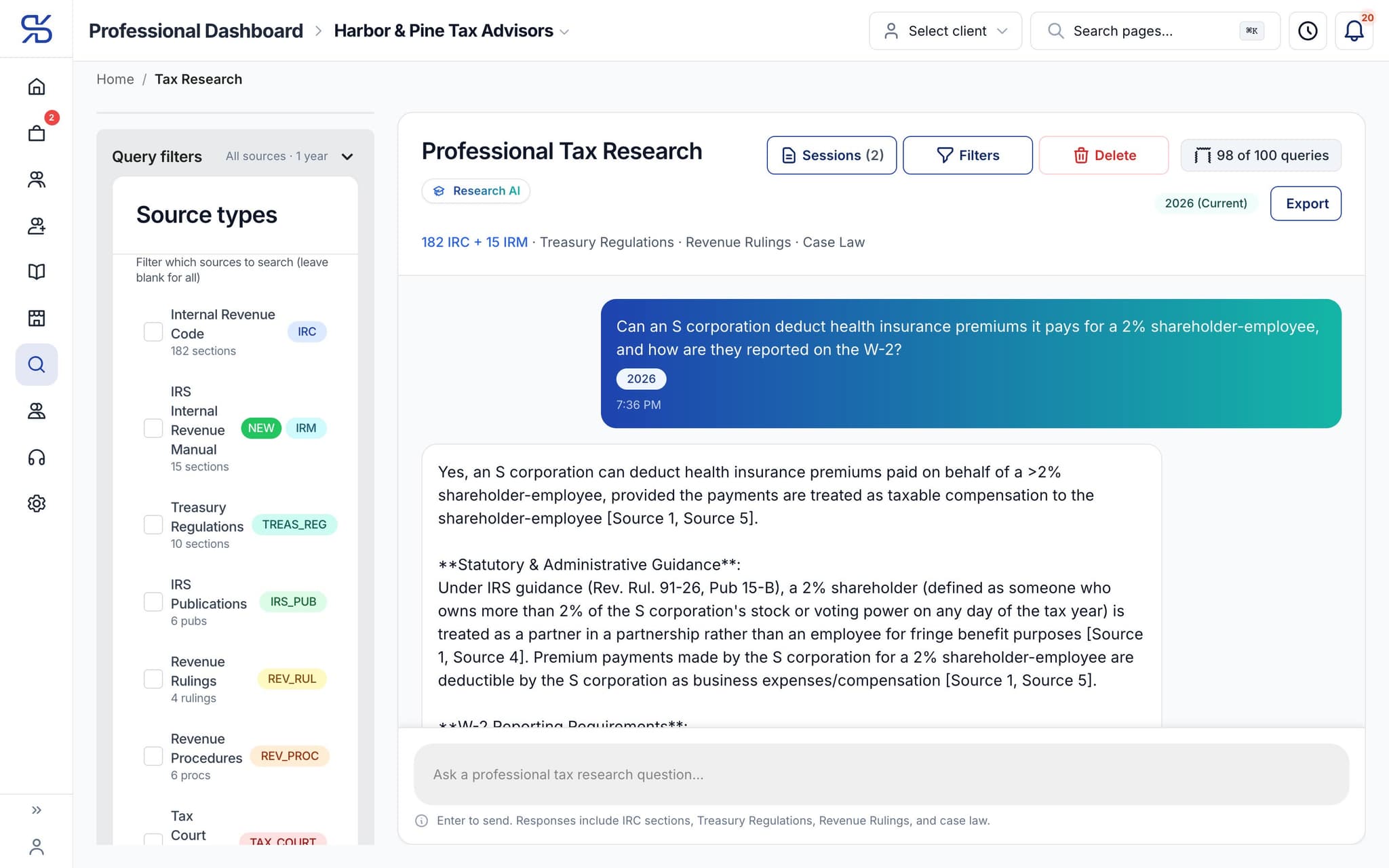
A research answer with its authority cited inline. A sample question, asked in a demo firm.
What it does
Ask a complex tax question and get an answer citing the code, regulations and IRS guidance.
Citations, not vibes
Answers point at the Internal Revenue Code, Treasury Regulations and IRS guidance so you can check the source.
Written for a professional
The answer assumes you know what a basis adjustment is, and does not explain it to you.
Export it
Take the research to PDF for the file, the client, or the reviewer.
How it works
How AI tax research works
- 1
Ask the real question
Long, conditional, client-specific — the kind you would take to a research service.
dynatax.ai/pro/…/research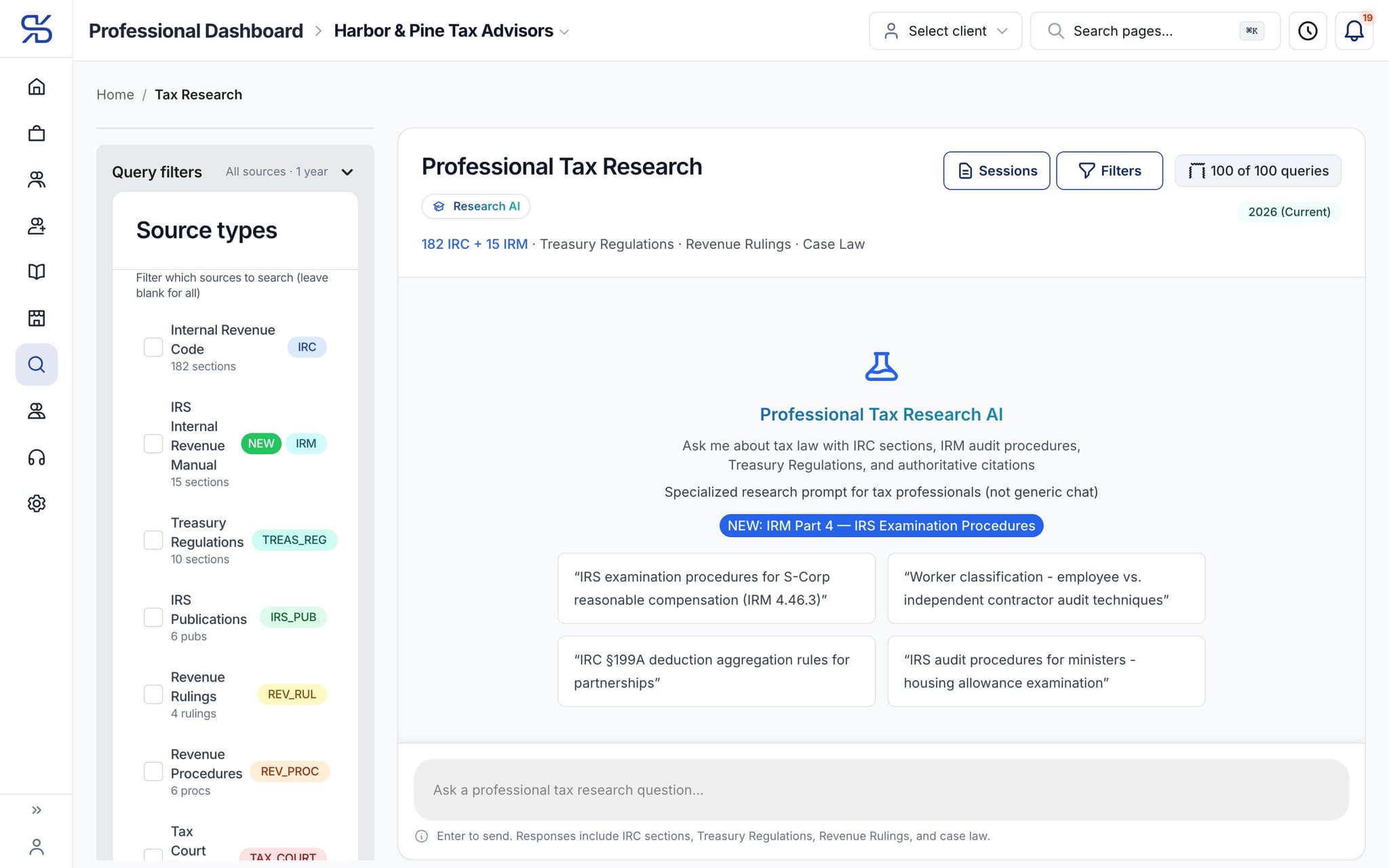
Ask in your own words, or start from a research prompt.
- 2
Read the answer with its sources
Each conclusion carries what it rests on.
dynatax.ai/pro/…/research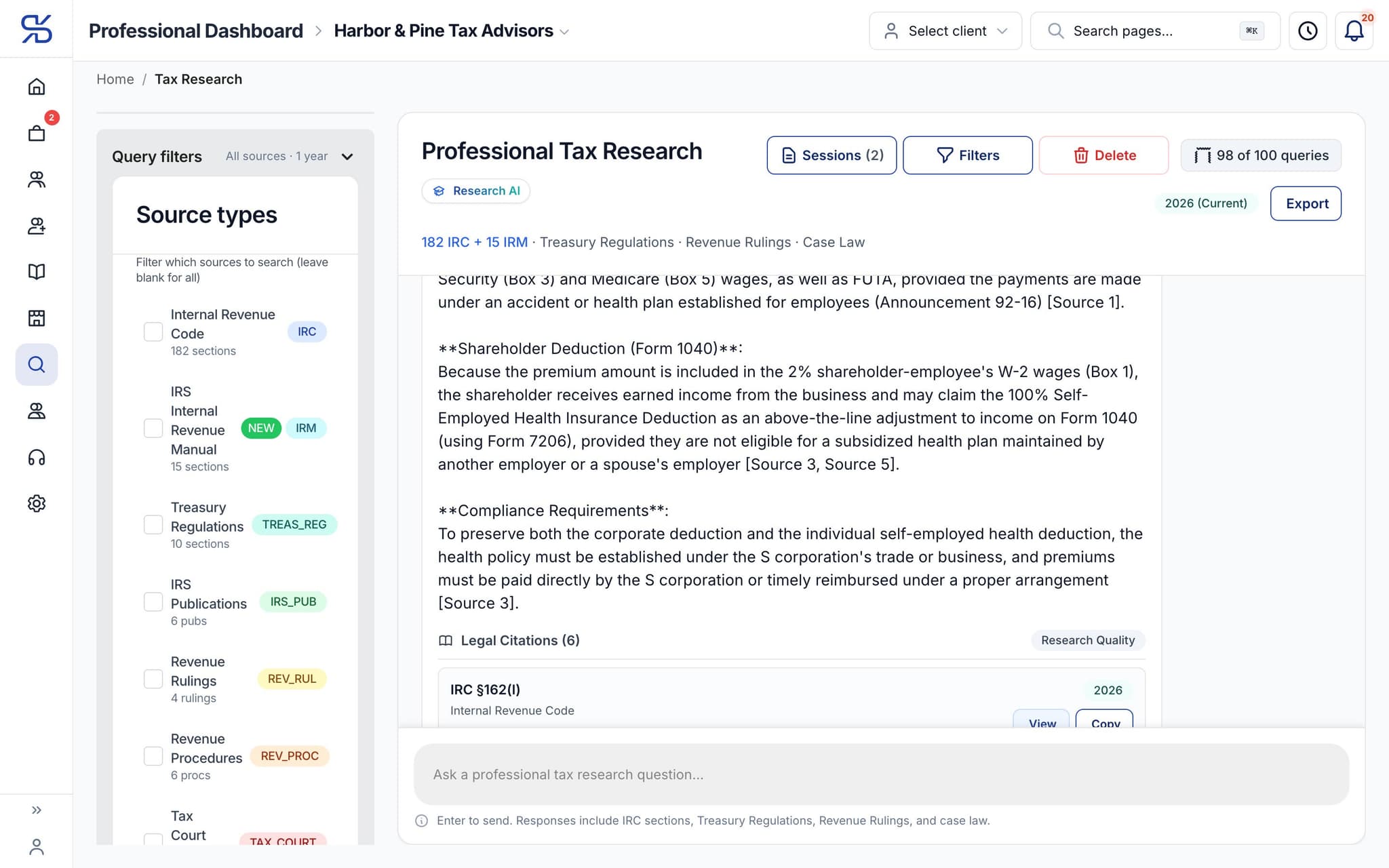
Every answer ends in its legal citations: open the authority or copy it.
- 3
File it
Export to PDF and keep it with the engagement.
The details
AI tax research, in detail
Choose the sources
Filter a question to the Internal Revenue Code, Treasury Regulations, the Internal Revenue Manual, IRS publications, revenue rulings, revenue procedures, Tax Court cases or legislation. Leave the filter empty and it searches all of them.
Pin the tax year
Tag a session with the tax years you are working on, from next year back through earlier years. The years stay with the research, so the answer is read against the law that applies to that return.
Sessions you can reopen
Every research session is saved with its full question history. Rename it after the client or the issue, reopen it when the follow-up question arrives in March, and delete it when the work is done.
Export the way you file
Take a session out as a PDF, Markdown or plain-text file, with the tax years and citations included. Copy a single citation to the clipboard when that is all a memo needs.
Pro Workspace
One workspace for the whole practice
Clients, documents, research, time and your own books in one place, so the season runs on fewer tabs and fewer late nights. Everything below comes with the professional plans.
For your practice
AI tax research comes with the pro plans
Professional plans. Solo Pro: $0 for 6 months, then $39.99/month. Firm Plan: $99.95/month for 12 months, then $150/month.
Solo Pro
$0
For 6 months, then $39.99/month
Firm Plan
$99.95
For 12 months, then $150/month
Related features
Works well with
FAQ
AI tax research questions
Run your practice. Live your life.


Solo Pro: $0 for 6 months, then $39.99/month. Bring your clients and your firm into one workspace.