Firm management for the whole practice
Run the firm, not just the returns.
Know who is carrying what before the season gets loud. Members, roles, client access and workload sit in one place, so onboarding a new hire or handing work over is a few clicks, not a week of email.
Solo Pro: $0 for 6 months, then $39.99/month
Included in: Professional plans
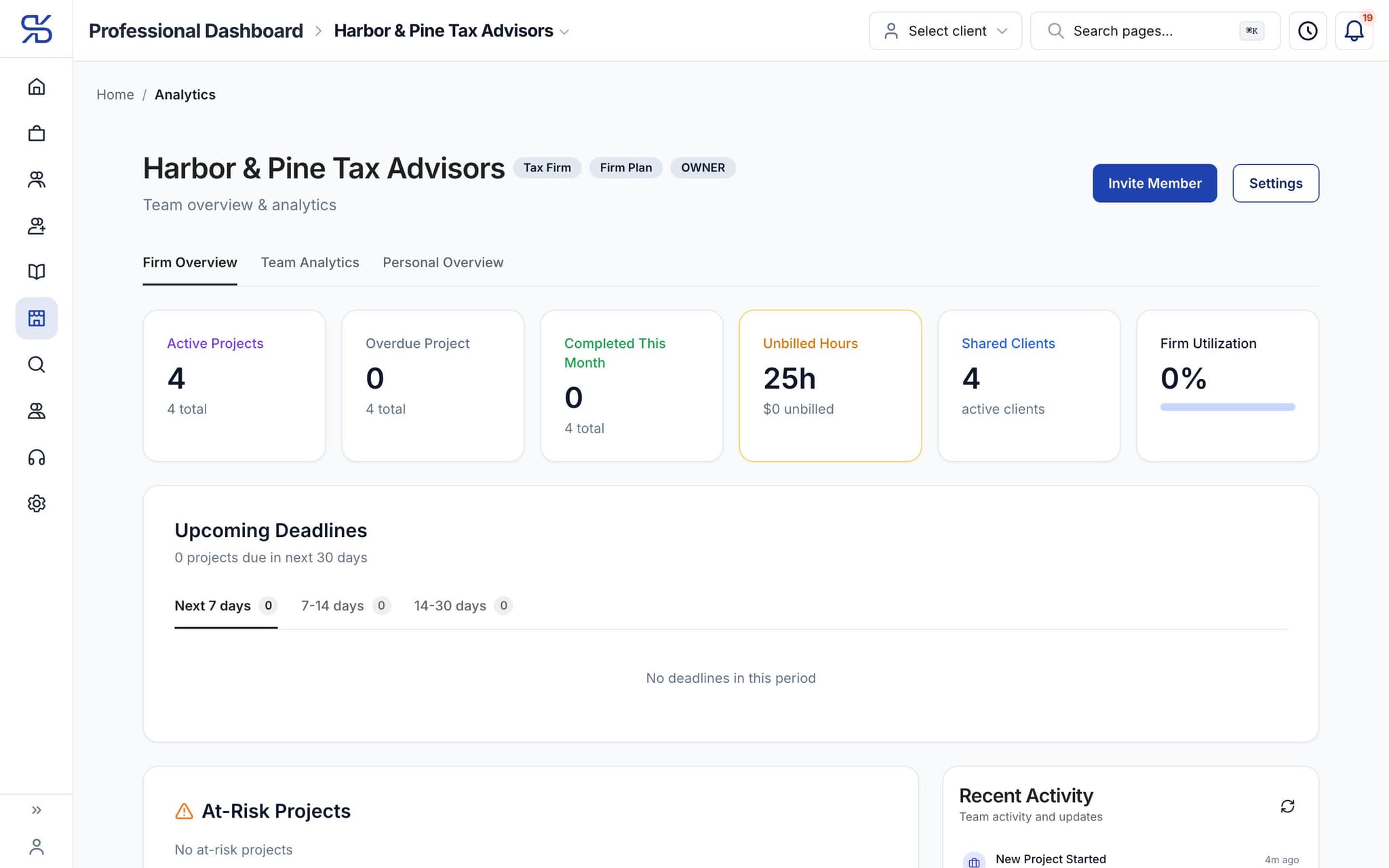
The firm overview: active projects, unbilled hours and clients, for a sample firm.
What it does
Members, roles, engagements and a view of who is carrying what across the practice.
Members and roles
Who is in the firm, what they can reach, and what happens when they leave.
Clients and engagements
Every client relationship, its status, and who is responsible for it.
Capacity you can see
Where the work is sitting across the team, before it becomes a bottleneck.
How it works
How firm management works
- 1
Add your team
Invite members and give them firm roles.
- 2
Bring in clients
Invite them, or accept them from the marketplace.
dynatax.ai/pro/…/clients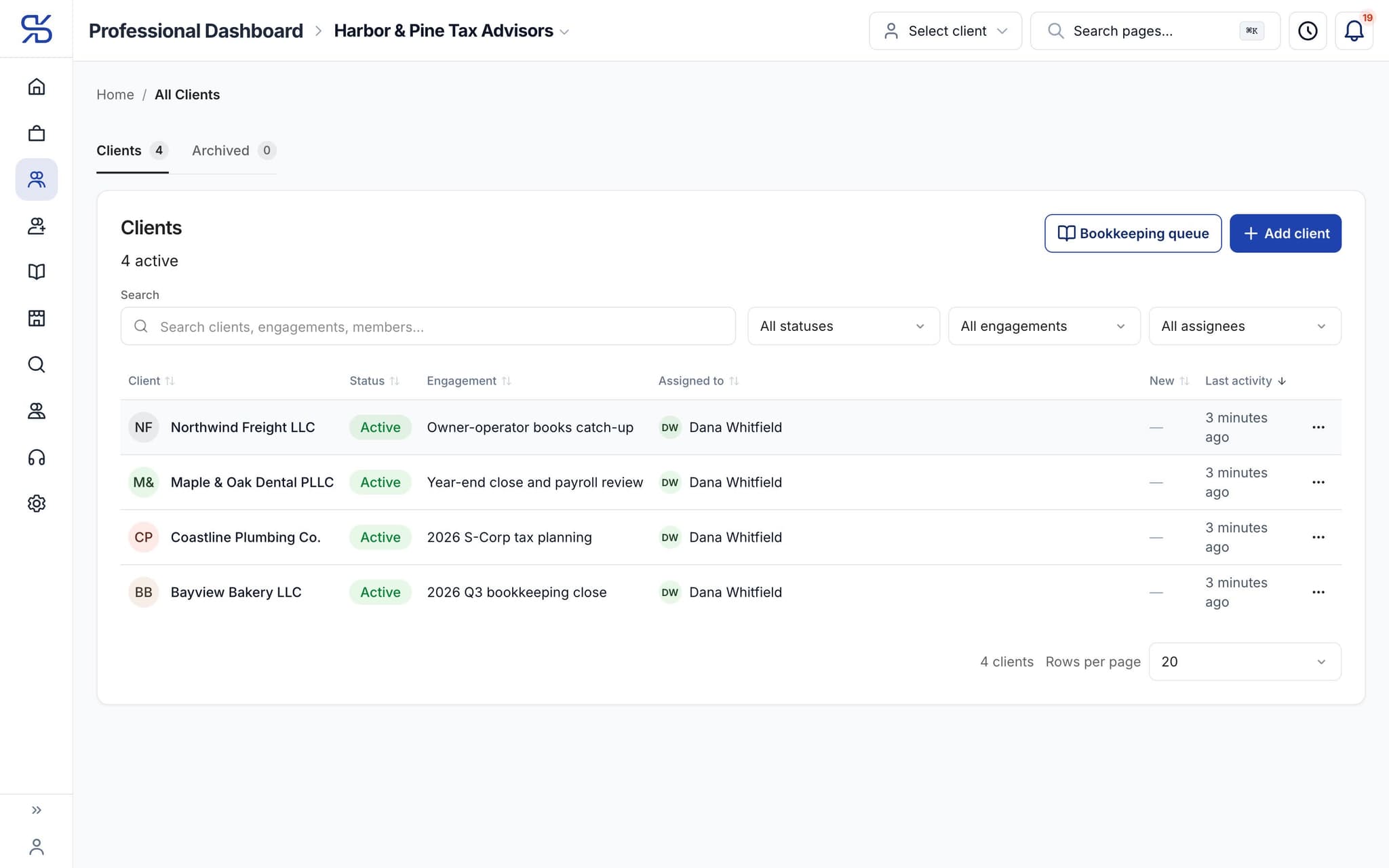
Every client with its engagement, status and the professional assigned. Sample data.
- 3
Run the practice
Projects, tasks and engagements in one place instead of four tools.
dynatax.ai/pro/…/firm/projects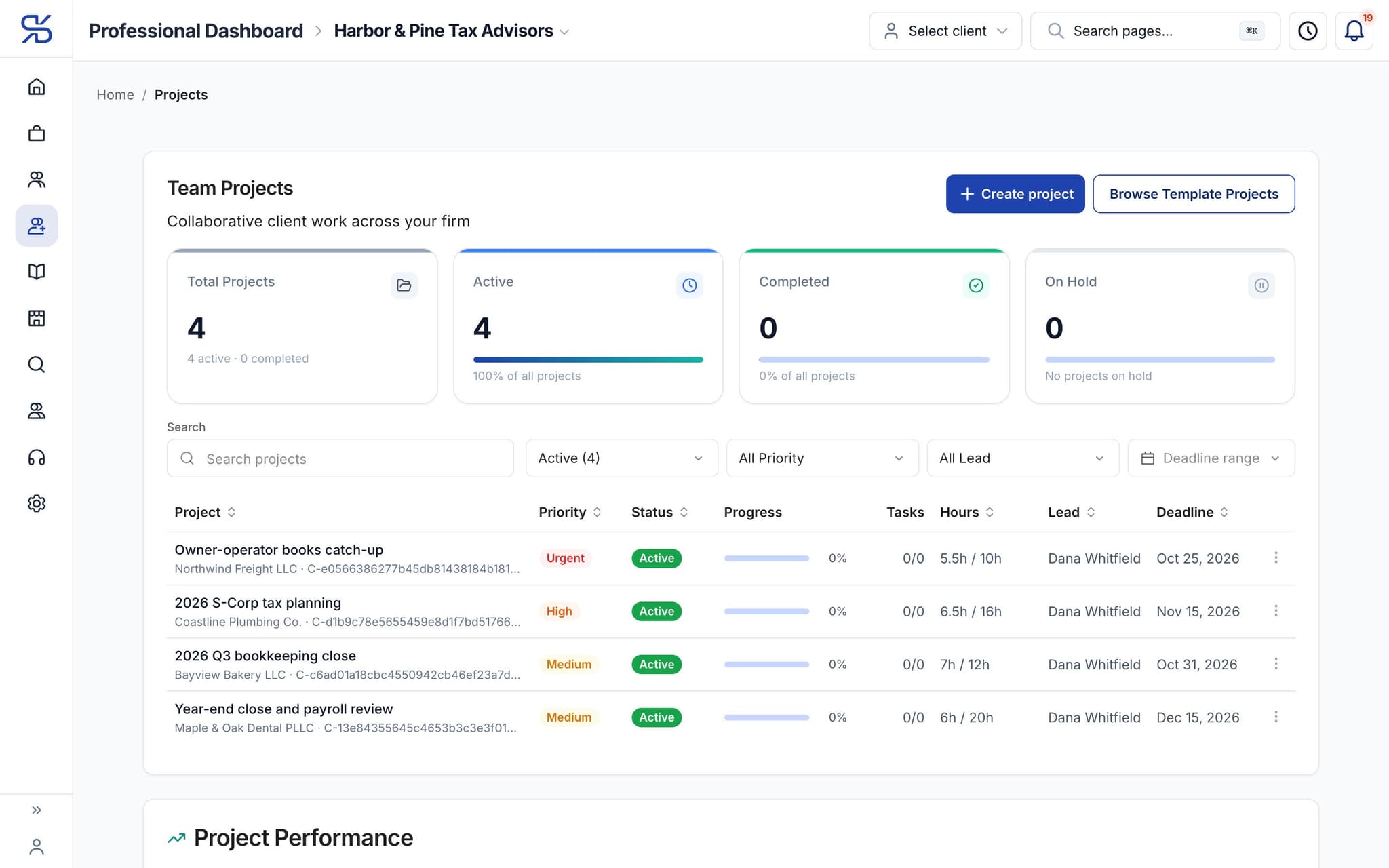
Team projects with priority, status, hours against the estimate and deadline.
The details
Firm management, in detail
Four firm roles
Owner, Admin, Senior and Member, each with its own default access. The firm always keeps at least one owner or admin, so nobody can lock the practice out of its own workspace by accident.
Jobs: access saved once
Save a set of access as a job and give it to everyone who does that work. Change the job and everyone in it changes with it, instead of editing each person’s permissions one at a time.
Client access per member
Give a member their assigned clients only, or their assigned clients plus a read-only view of the rest. Partners who need everything can have every client, now and new, in one setting.
Workload you can read
Each member’s hours a week set their capacity. The team view shows who is available, who is busy and who is overloaded, so new work goes to someone who actually has room for it.
Pro Workspace
One workspace for the whole practice
Clients, documents, research, time and your own books in one place, so the season runs on fewer tabs and fewer late nights. Everything below comes with the professional plans.
For your practice
Firm management comes with the pro plans
Professional plans. Solo Pro: $0 for 6 months, then $39.99/month. Firm Plan: $99.95/month for 12 months, then $150/month.
Solo Pro
$0
For 6 months, then $39.99/month
Firm Plan
$99.95
For 12 months, then $150/month
Related features
Works well with
FAQ
Firm management questions
Run your practice. Live your life.


Solo Pro: $0 for 6 months, then $39.99/month. Bring your clients and your firm into one workspace.