AI bookkeeping for small businesses, without the learning curve
Your bank transactions come in on their own. Dyna suggests where each one goes, you approve it, and your reports stay current. Less time on the books, more time for your customers and the life outside work.
14-day free trial · No credit card required
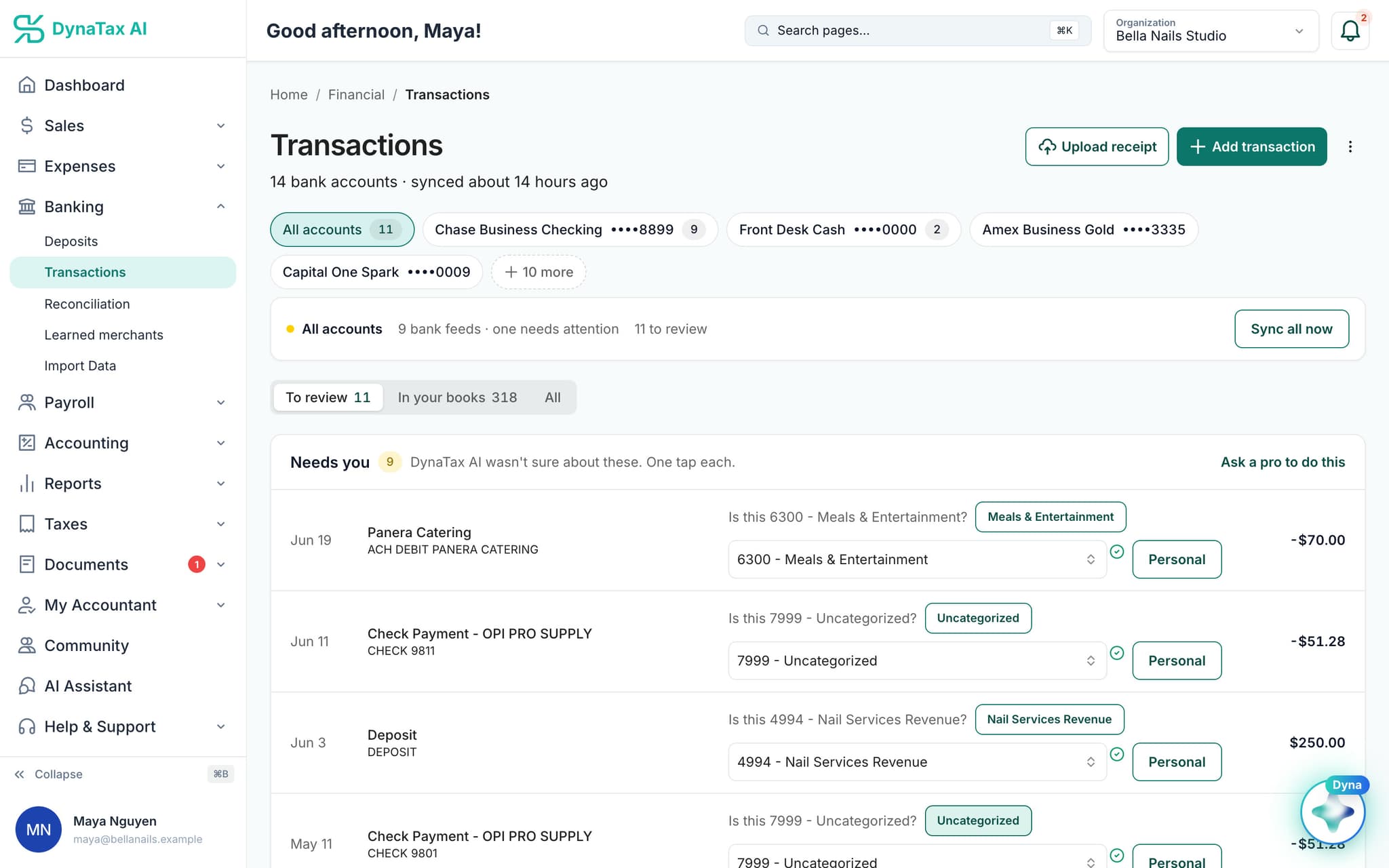
Product screen with sample data
Your week, before and after
Less time on the books. More time on the business.
Three jobs that eat a small-business owner's evenings, and what they look like in DynaTax AI.
Before: Typing bank transactions into a spreadsheet after closing time.
Your bank comes to you
Connect your US bank and card accounts once. The connection is read-only: it can see balances and transactions, and it can't move money. New transactions sync daily.
Before: Guessing which category a charge belongs in, line by line.
Dyna suggests, you approve
Dyna suggests an account for each transaction with a confidence score. Merchants you've already confirmed fill in next time. There's no rule builder to set up.
Before: A shoebox of receipts, and a P&L you only see at tax time.
Receipts and reports, ready
Photograph a receipt and Dyna reads the vendor, date and total for you to check, then matches it to its transaction. Your P&L is there whenever you look.
How it works
Three small-business bookkeeping steps, on real screens.
Connect, approve, then look up. Shown with a sample business.
Step 1
Connect your accounts
Every bank and card account sits in one list, with what still needs review. You sign in on your bank's own screen, and new transactions sync daily.
How bank sync worksSample data
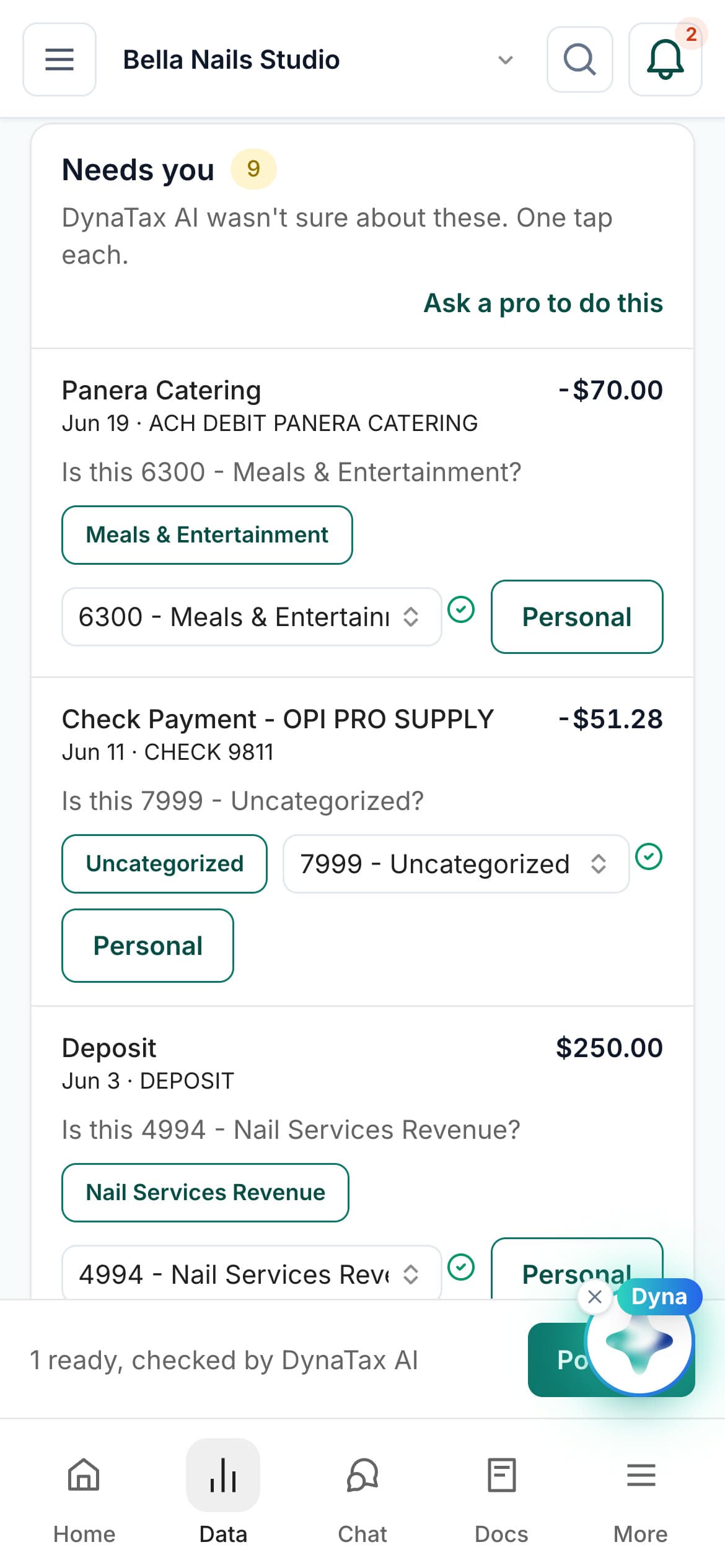
On a phone · sample data
Step 2
Approve what Dyna suggests
Dyna asks about the ones it isn't sure of, one tap each, from your desk or your phone. Nothing posts without your approval, except merchants you've already confirmed above the auto-post threshold.
How AI categorization worksStep 3
See where you stand
Money in, money out and net profit for the year so far, with the last six months side by side. Answer “are we doing okay?” in a glance, not a weekend.
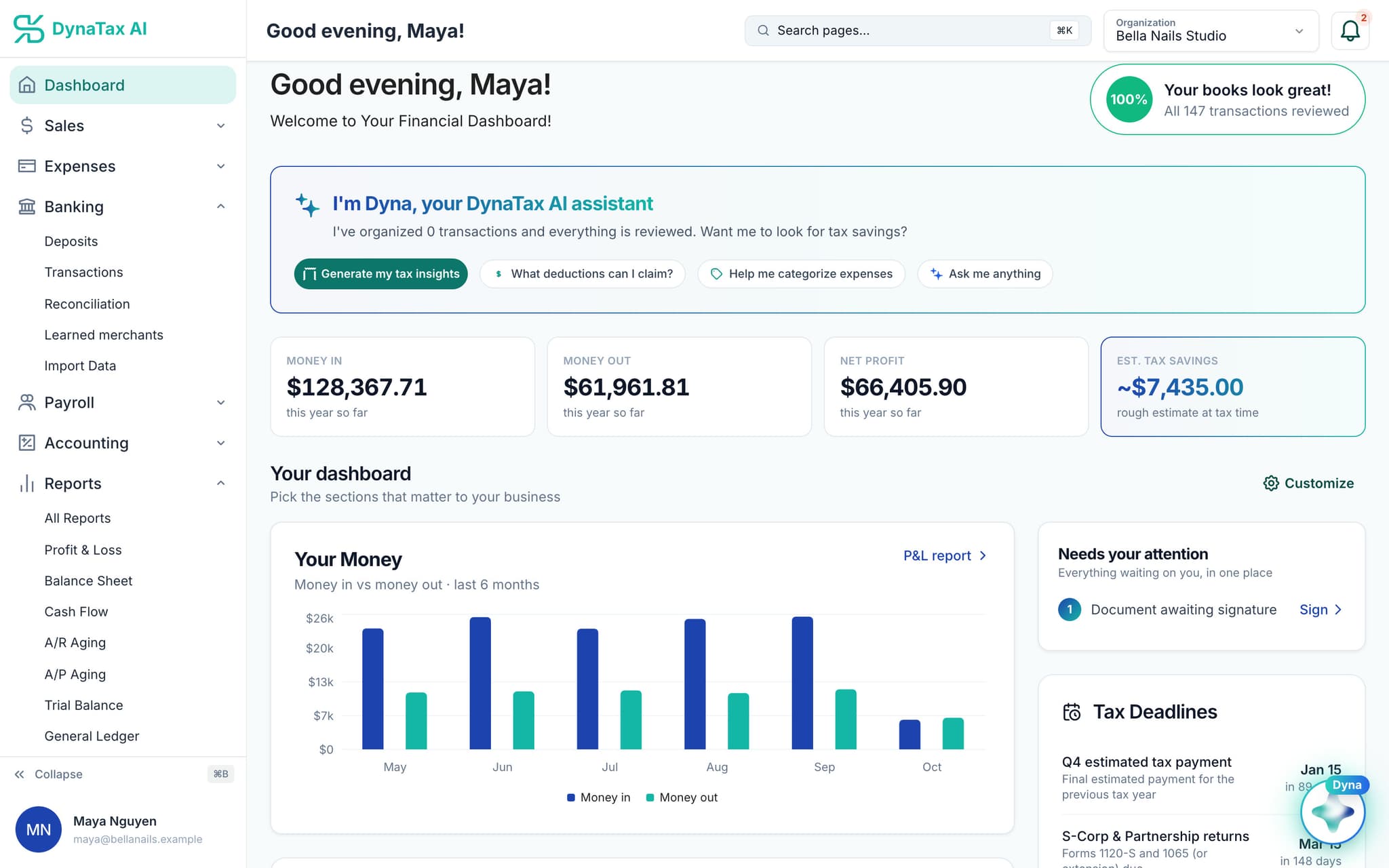
Sample data
The rest of the books
Reports, invoices and your accountant, in one place.
Profit & Loss, Balance Sheet, Cash Flow, General Ledger and Trial Balance come with every paid plan. So do invoices.
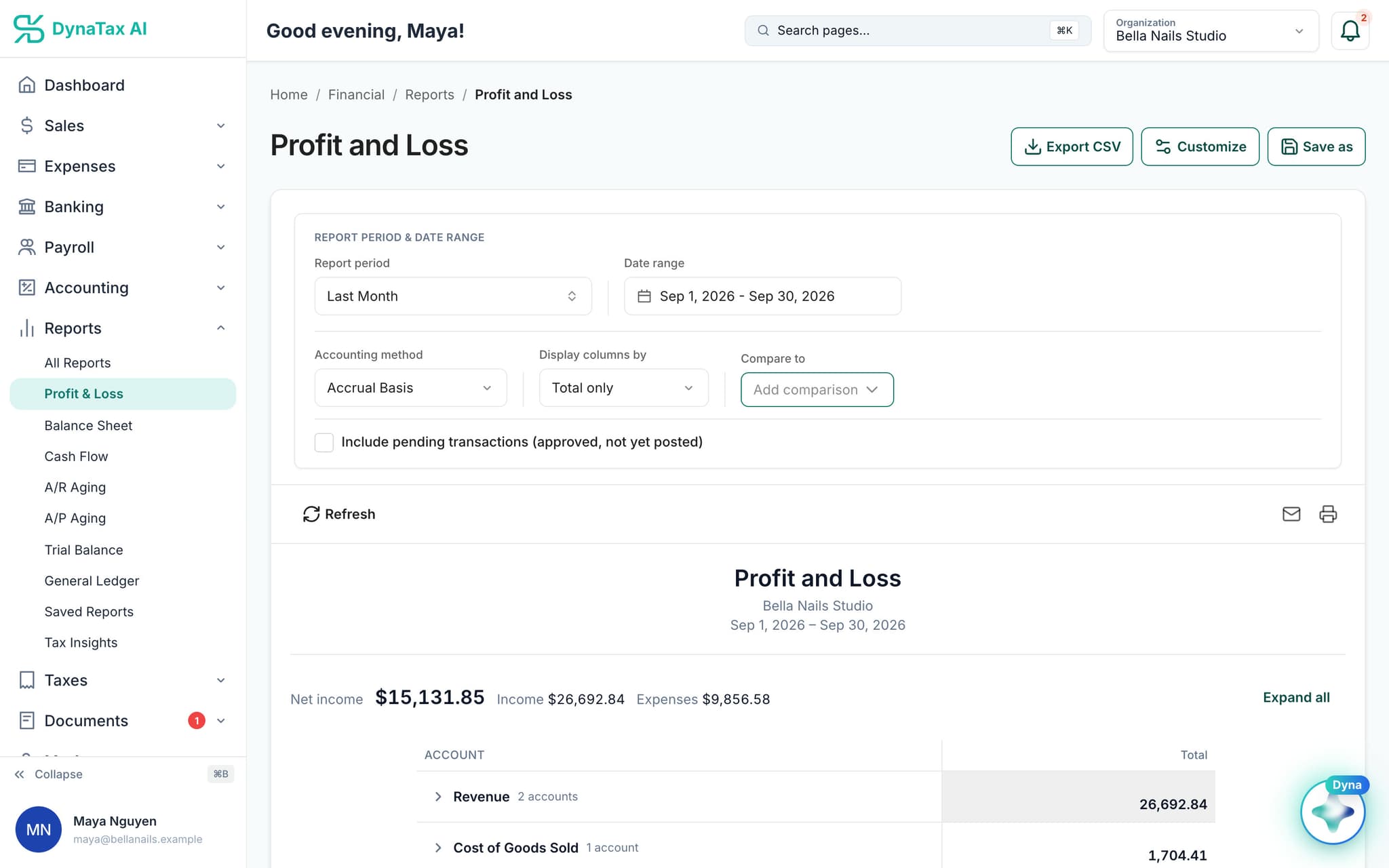
Profit and Loss · sample data
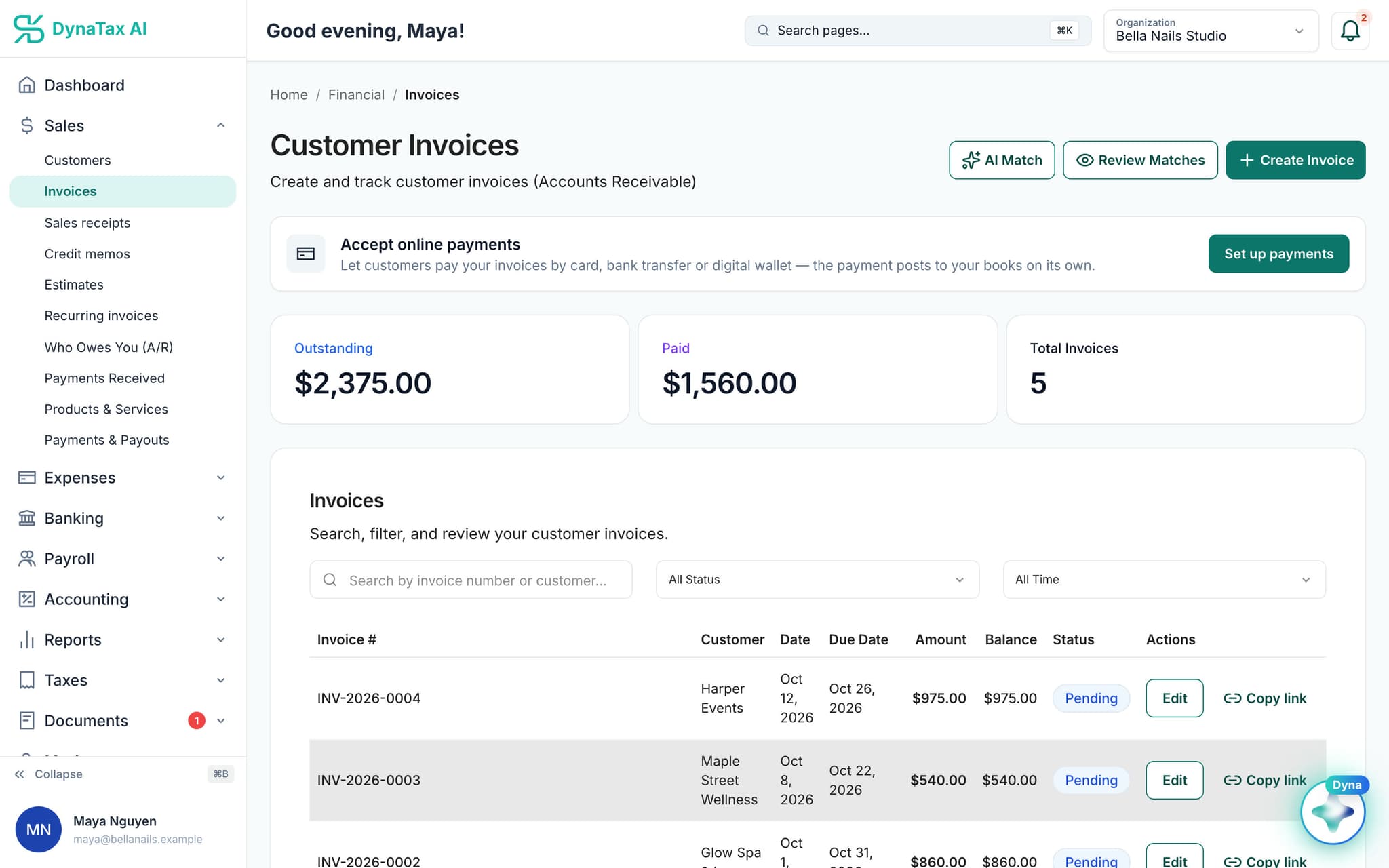
Customer invoices · sample data
Reconcile and close
Reconcile each account against your bank statement, then close the books for the month.
Your CPA, in your books
Invite your own CPA for messages, tasks and e-signatures in one place, or find a tax professional in the DynaTax AI marketplace.
Ask Dyna
Ask a tax or bookkeeping question and Dyna lists its sources. It's general information, not professional advice.
Bring your books
Coming from QuickBooks or a spreadsheet?
Import CSV, Excel and QBO/OFX bank downloads, and check each file before it's written. QuickBooks company files (.QBW/.QBM) aren't supported, so export to CSV or Excel first.
What can come in
- Transactions
- Chart of accounts
- Opening balances
- Journal entries
- Customers
- Vendors
- Invoices
- Bills
Pricing
Plans from $29 a month.
Most small businesses start on Growth.
Starter
$29/ month · 1 user
Core bookkeeping, bank feeds, reconciliation and reports
Growth
$49/ month · 3 users
Everything in Starter, with more users, storage and AI queries
Pro
$99/ month · 10 users
Adds inventory and cost of goods sold, fixed assets and AI Tax Insights
Every plan starts with a 14-day free trial. No credit card required. Pay yearly and get 12 months for the price of 10.
FAQ
Small business bookkeeping questions
Run your business. Live your life.


Accounting without the learning curve. Try it with your own books for 14 days.
No credit card required